

Loading…
Create custom furniture, preview it in 3D, and generate accurate cut lists automatically — all in one tool.

Sizes, materials and shelves: full control in the builder.Open builder
All features are free while we improve Sarqir together.
Nothing to install. Open your projects on a laptop, tablet or phone.
Intuitive tools made for woodworkers, cabinet makers, and furniture builders.
Sizes, materials and edge banding for every panel, exported to PDF or CSV.
Configure dimensions and materials, calculate production requirements automatically, and export ready-to-use cut lists—all in one place.
Design furniture panel by panel in a live 3D workspace. Change dimensions and materials instantly.
Instantly see panel area, sheet count, and edge-banding totals before production.
Export a production-ready cut list with every panel, dimension, and material.
Choose how the top, bottom and sides overlap when you start a component; the panels are laid out automatically.
Use melamine, MDF, plywood, and solid wood materials with realistic finishes.
Whether you're building a single cabinet or a complete kitchen, Sarqir scales with your project.
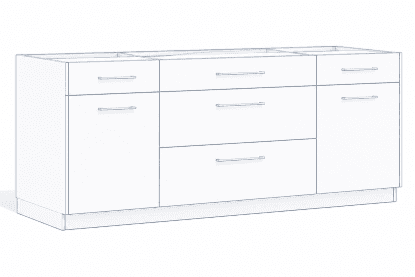
Design practical cabinet units with shelf storage, drawers, and production-ready construction details.
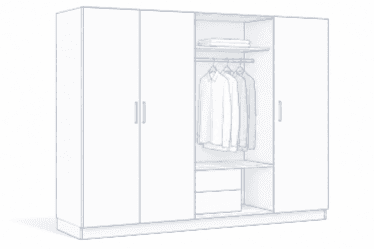
Create wardrobes with hanging space, drawers, and smart internal organization for everyday storage.
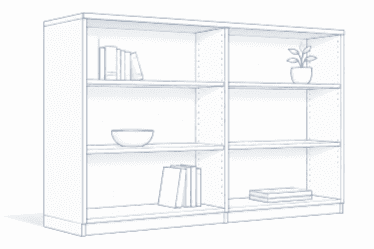
Create open shelving with adjustable spacing for books, décor, and storage.
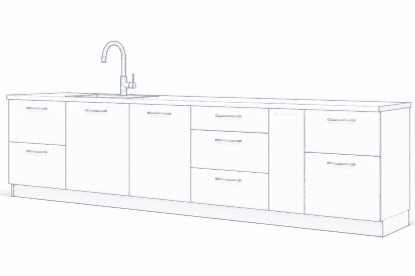
Plan complete kitchen layouts with consistent dimensions, shared materials, and production-ready details.
Whether you're building furniture for yourself or for clients, Sarqir helps you design, estimate, and prepare projects for production faster.
Replace manual sketches with clear digital plans, material needs, and ready-to-use cut lists.
Turn design concepts into client-ready 3D presentations and production-ready furniture plans.
Build furniture with confidence—without professional CAD skills or hours spent on manual calculations.
Keep projects consistent, reduce costly mistakes, and move from design to production faster.
Follow a simple workflow from dimensions to a production-ready cut list.
Choose the overlay, then set width, height, and depth. Sarqir builds the base structure automatically.
Select materials and finishes, then preview them in 3D with accurate thickness.
Add shelves, dividers, drawers, and doors. Position every panel with precise controls.
Export a production-ready CSV or PDF with every panel labeled, measured, and grouped by material.
From a single cabinet to full kitchen runs.
Designed by cabinet makers for cabinet makers.
Less manual work, more time in the shop.
Precision you can count on at every step.
Everything is unlocked during beta—design, estimate, save, and export your furniture.
Start using every feature today and build real projects with no subscription required during beta.
Use the complete product while it is in beta.
Your feedback helps us build the best possible experience.
Get early access to new features and exclusive updates.
What's done — and what's next.
Use Sarqir free during beta. No installation, no credit card, and no setup required—just open your browser and start designing.